
This is a step-by-step guide for getting API key
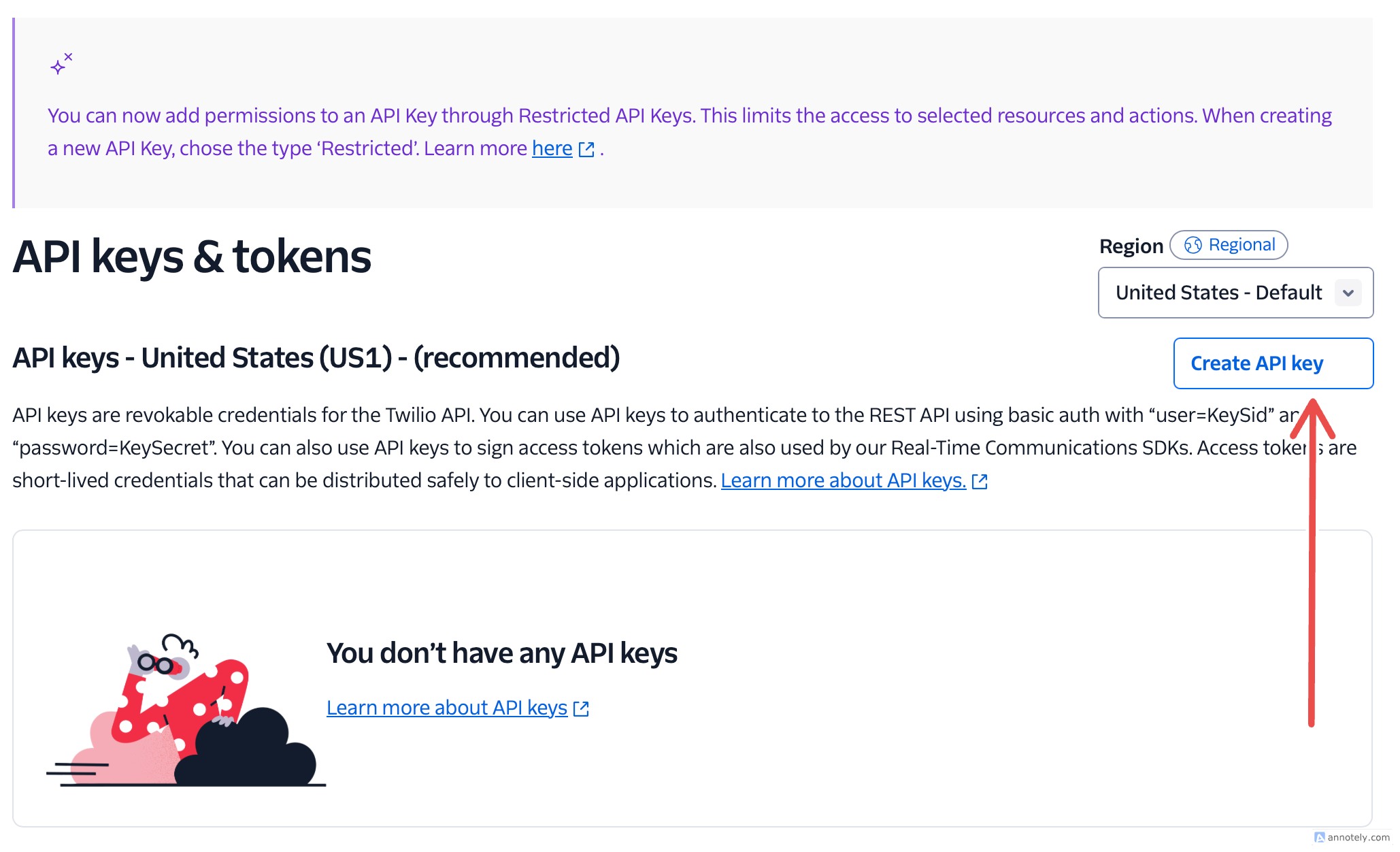
- Go to API Keys & Token Page.
- On the API keys & tokens page, click on the Create API Key button.
- On the Create new API key page, enter a Friendly name for the API Key.

- Select the key type: Restricted, Standard, or Main.

- Click the Create API Key button.
- On the Copy secret key page, Copy the Secret and store it somewhere secure.
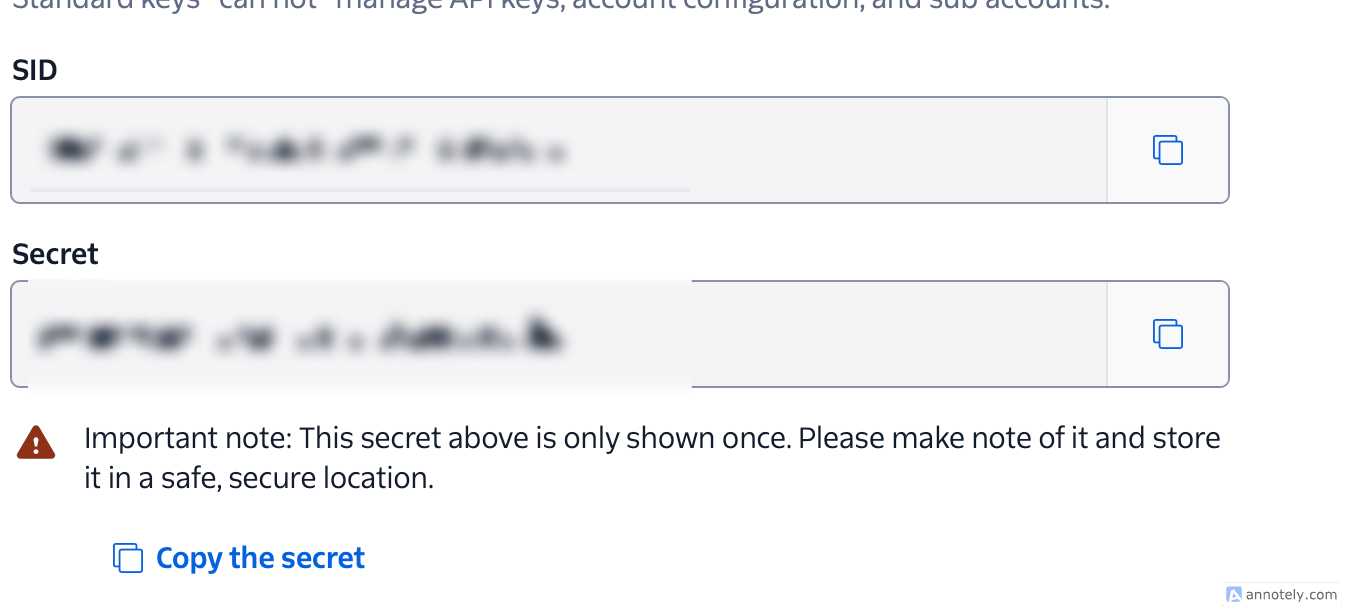
- Click on the Got it! checkbox and click Done.

You can recopy your API key on API Keys & Token Page.